Thally was a great choice for documenting CmdRound for many reasons. One of the reasons is right now I am solo building CmdRound and I can't keep up with documentation updates mostly because I'm always pushing new features and updating logic. Thally is more or less a Developer Relations manager at CmdRound as it helps keep the docs of CmdRound in line with what we actually build and push to CmdRound.
The site doc is live here:
So let me walk you through how you can get started with Thally.
Although it's pretty sophisticated at its current build, it is very easy to get started.
Here we go!
Prerequisites
Create your Thally site
Everything starts in the Thally dashboard with a simple set of steps to follow.
Five of those steps are:
1 → Site details is the name of your product and the address is the unique url where your site lives on Thally. It typically looks like: https://[your-product-name].thally.app/. The address check is live, so you know straight away if yours is free.
2 → Docs source is where it makes the GitHub repo. The repo is where your documentation lives. Like mine we saw earlier here. To connect yours, click "Check GitHub" and it tells you exactly what to do: install the Thally app, pick your account, and come back. "Private repository" is on by default. If you want people to see the source (I did, for this), turn it off.
3 → Product source. This is the jewel of Thally. It needs a repo it has to watch for PRs and merges. This repo should be the repo of your product. Thally only “reads” this repo. The PRs it creates go to your docs repo. So you can be sure of zero intrusions.
4 → Knowledge surface is any other repo that talks about your product, like your marketing page or help center. Thally's ever-reaching hands can open PRs there too when your product changes.
5 → Review and publish lists every choice with an edit link. Click Publish. CmdRound’s was live in a couple of minutes, with a starter site, search, Ask AI, and an "Agent readiness" score of 89/100. Light!
Go local
Clone the designated repo locally and install:
Other useful commands you (or your agent) will be running will be:
The dev server is pinned to port 3040. If that's taken, npm run dev -- -p 4750 works (the last port wins). The first page load took almost 10 seconds while it compiled, after that it's quick.
A trap I hit here: I deleted the demo pages while the dev server was running, and they kept loading. Then the page started reloading itself in a loop. Fix: stop the server, run rm -rf .next, then start it again.
Write the content
Pages are MDX files in src/content/. Each one starts with a little frontmatter:
The sidebar comes from the docs.json which lives at the root. For CmdRound I made two tabs:
“Get started” that contained the introduction and quickstart, and "Guides" with the one guide.
The site name lives in src/data/site.ts. A trip I fell for here was naming mine “CmdRound Docs” hence on the live doc page when we published it read as “CmdRound Docs Docs” at the top left. Keep an eye out for that. Simply just rename it in your Thally dashboard settings to your product’s name without the “Docs”. Editing site.ts alone won't change the live site.
Images are essential parts of docs and they live inside the public/images. You reference them in your docs with /images/dashboard-img.png. An issue with this is if you inserted the img in pure tags your users would have to manually zoom the entire page to see the img. So I will suggest you insert images with <Frame> to keep things easier for your users to view and zoom into individually.
The starter also gives you useful components like <Steps>, <Step> and <Tip>. The quickstart is one big <Steps> block, which reads well for "do this, then this".
If you are like me and really find mdx editors boring, I advise you first write into Notion or any of your favourite rich-text editor and when you're done just move it over into the mdx files.
Go live
Commit to main and push. And... That is it!
Documentation for CmdRound was live in about 3 minutes after the push!
One warning: every page has an "Edit this page" link that opens GitHub's editor on main. Saving there commits to main, and main is production. So be careful editing there. Personally I prefer editing locally, previewing it, then going live once I am comfortable with what I see.
The honeypot: Track
As we learned earlier, I am solo building CmdRound; Agents allow me to push fixes faster and more efficiently. Pre-Thally it would need extreme discipline to always update my docs when I make a major fix, push a new version or feature.
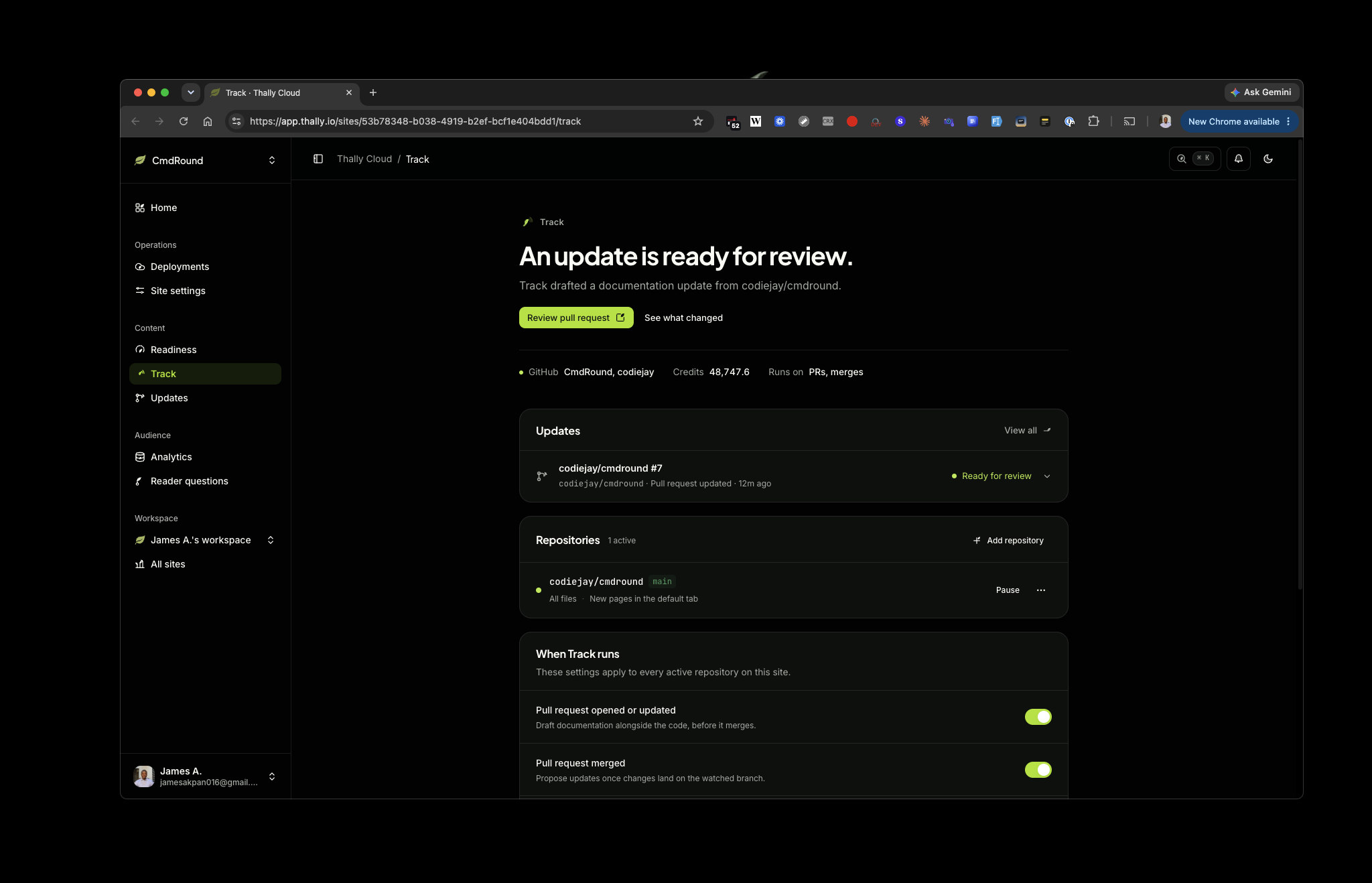
Track from Thally solves this. Track watches your product repo. When a pull request opens or merges there, it works out which docs pages are now wrong and opens a pull request on your docs repo with the fix. You then review the PR, which shows as “Ready for review” on the Track page.
You set it up from the Track page in the dashboard. It's one page: AI credits, GitHub connections, the product repo it is watching, and when Track runs.
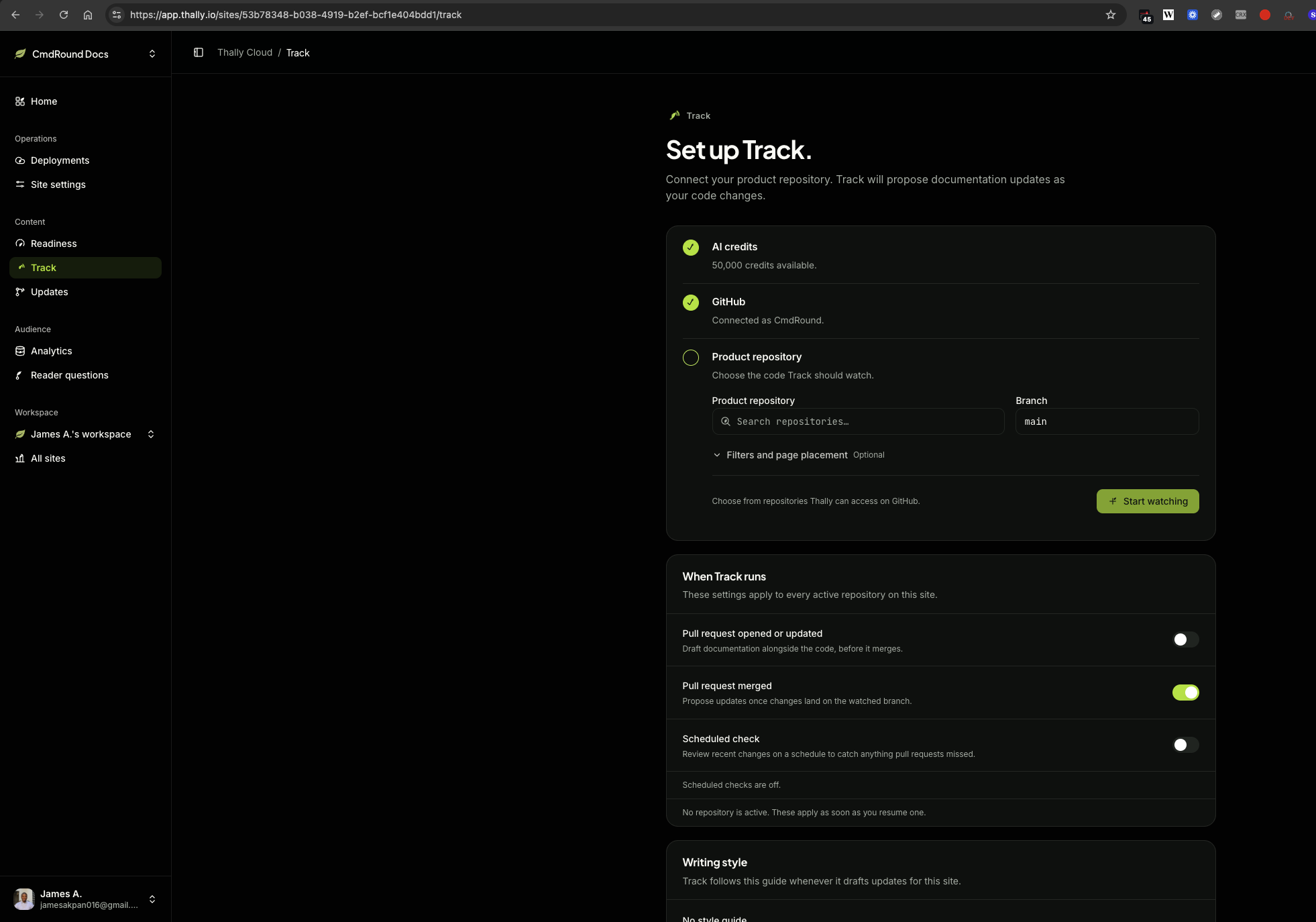
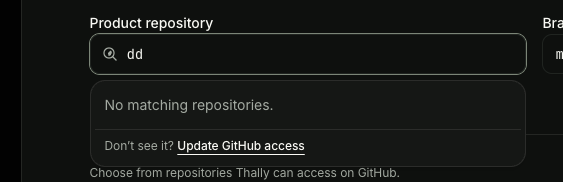
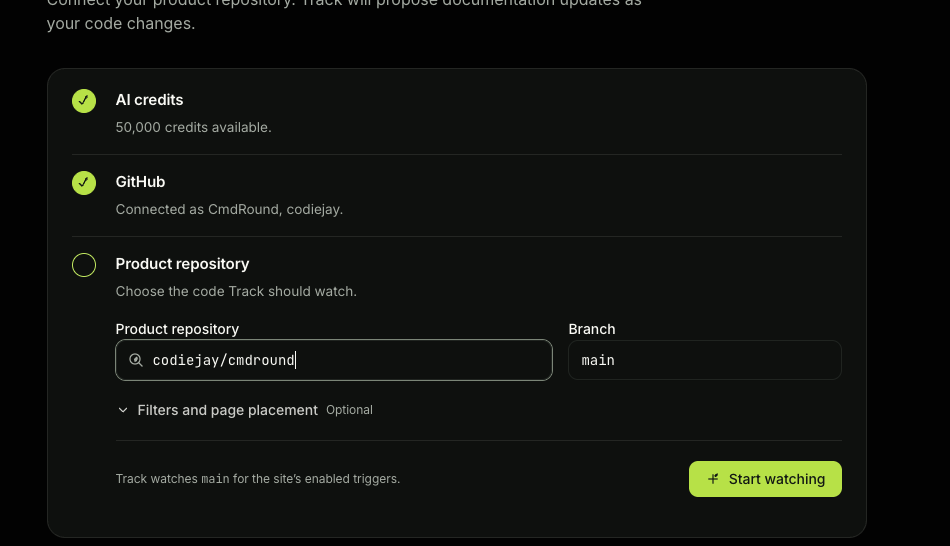
Then pick your triggers. New sites only run on merged PRs. I turned on "Pull request opened or updated" too, because merging in my product repo deploys production and I didn't want to merge a fake change.
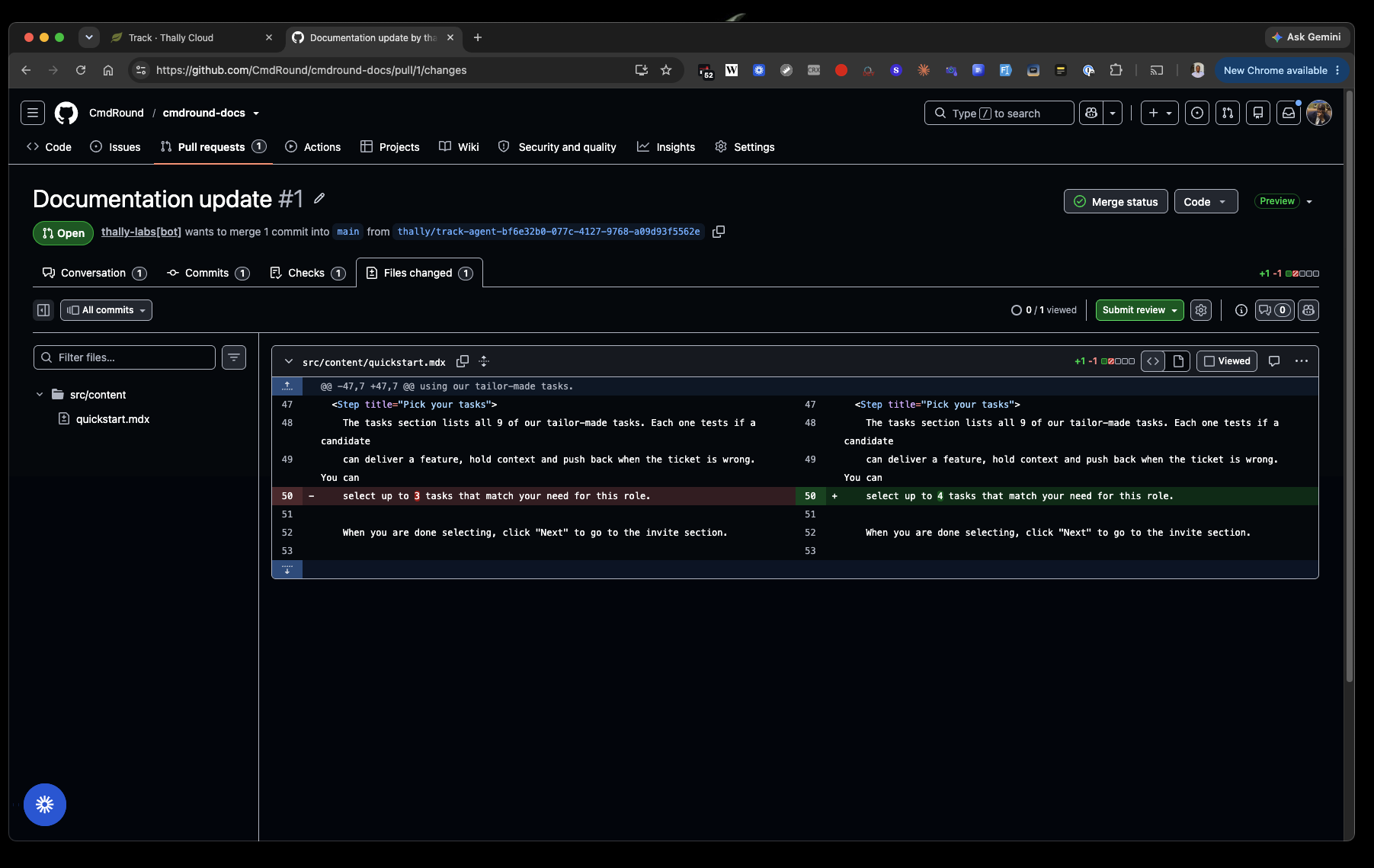
To get practical, I opened a PR on CmdRound that raised the task limit on an assessment from 3 to 4. My quickstart says "select up to 3 tasks", so that's the line Track should catch.
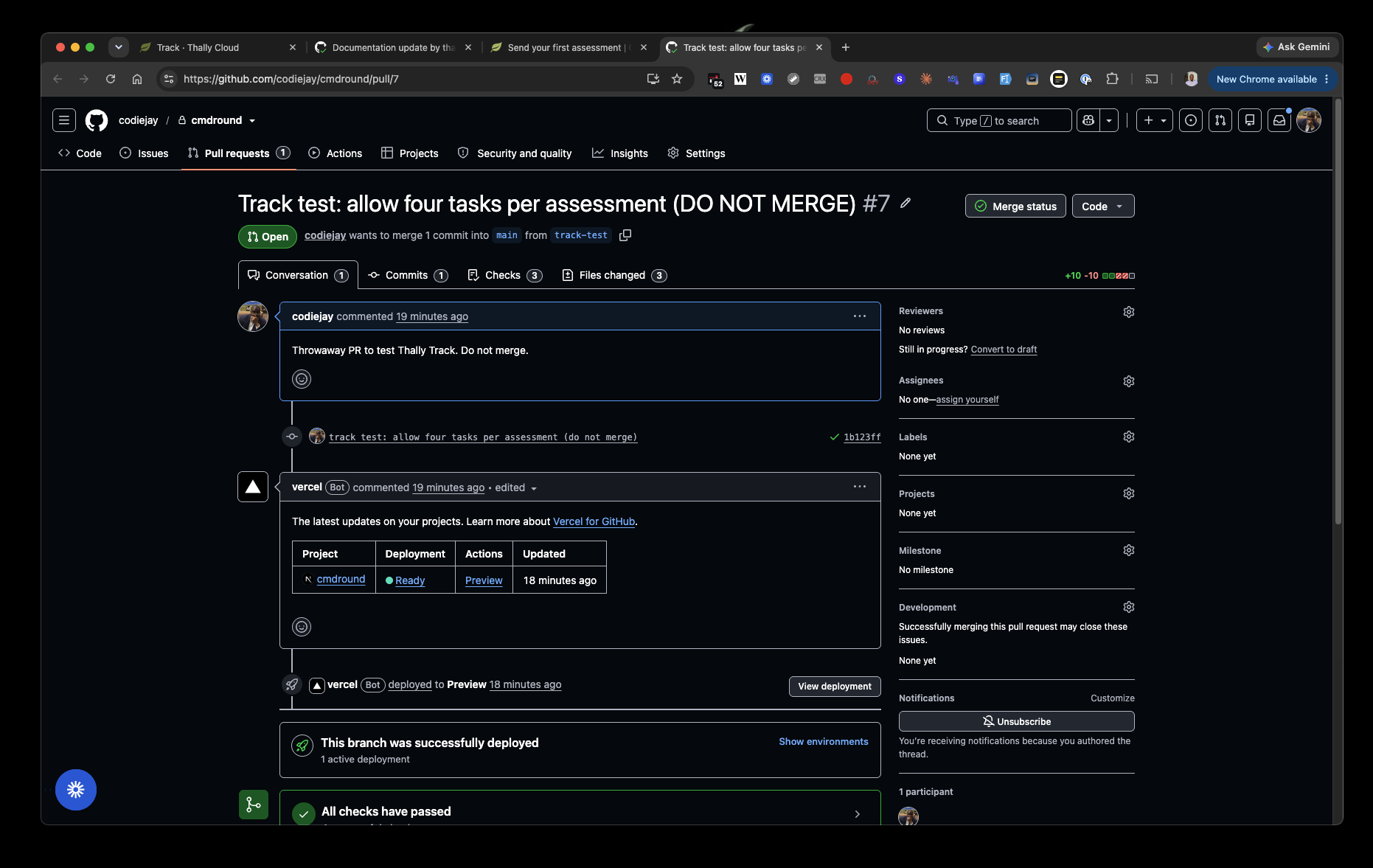
The PR opened at 18:54.
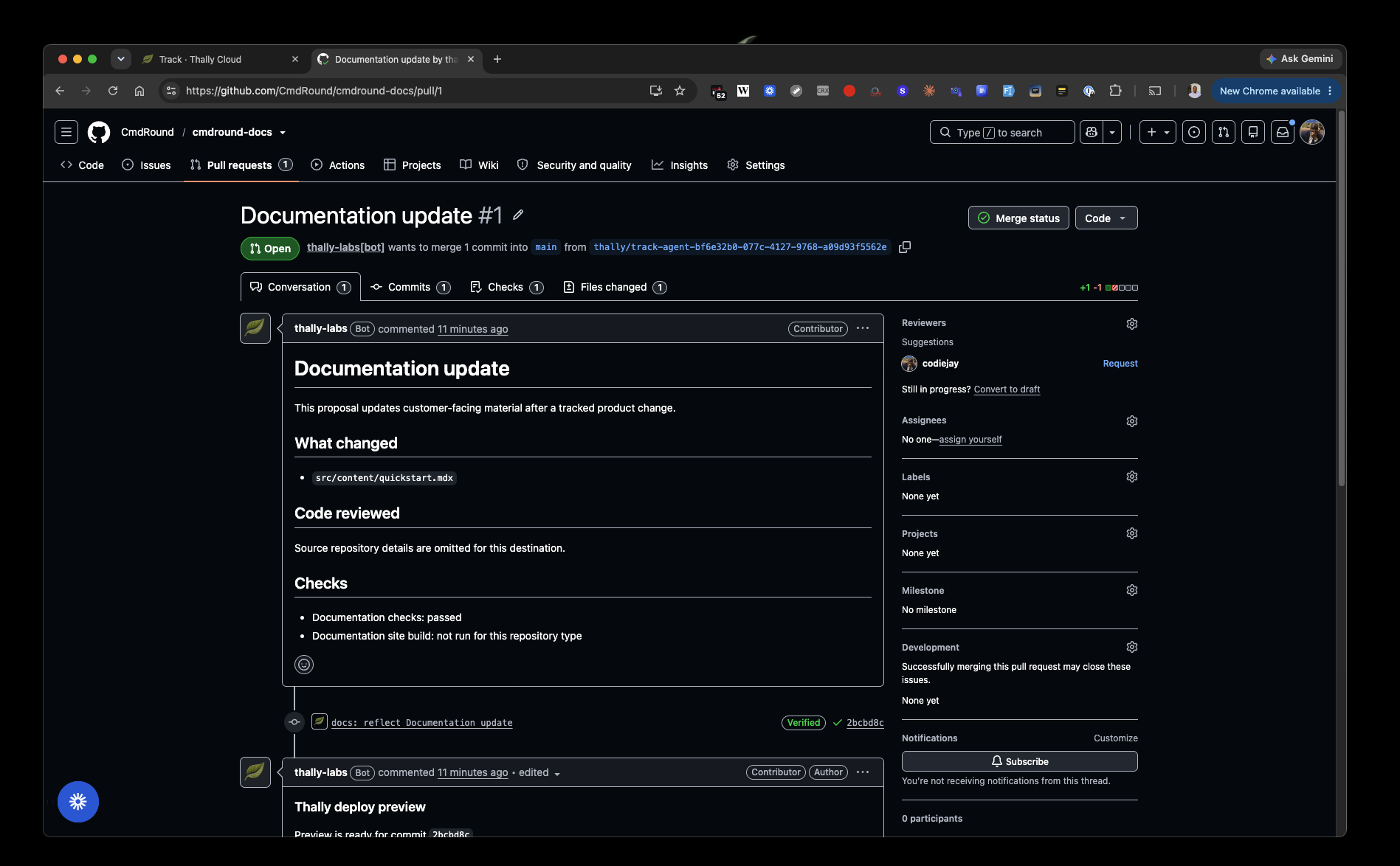
And Track opened a docs PR at 18:58.
About 4 minutes which is under the 15 minutes Thally said to expect.
It changed exactly one line, "up to 3" → "up to 4".
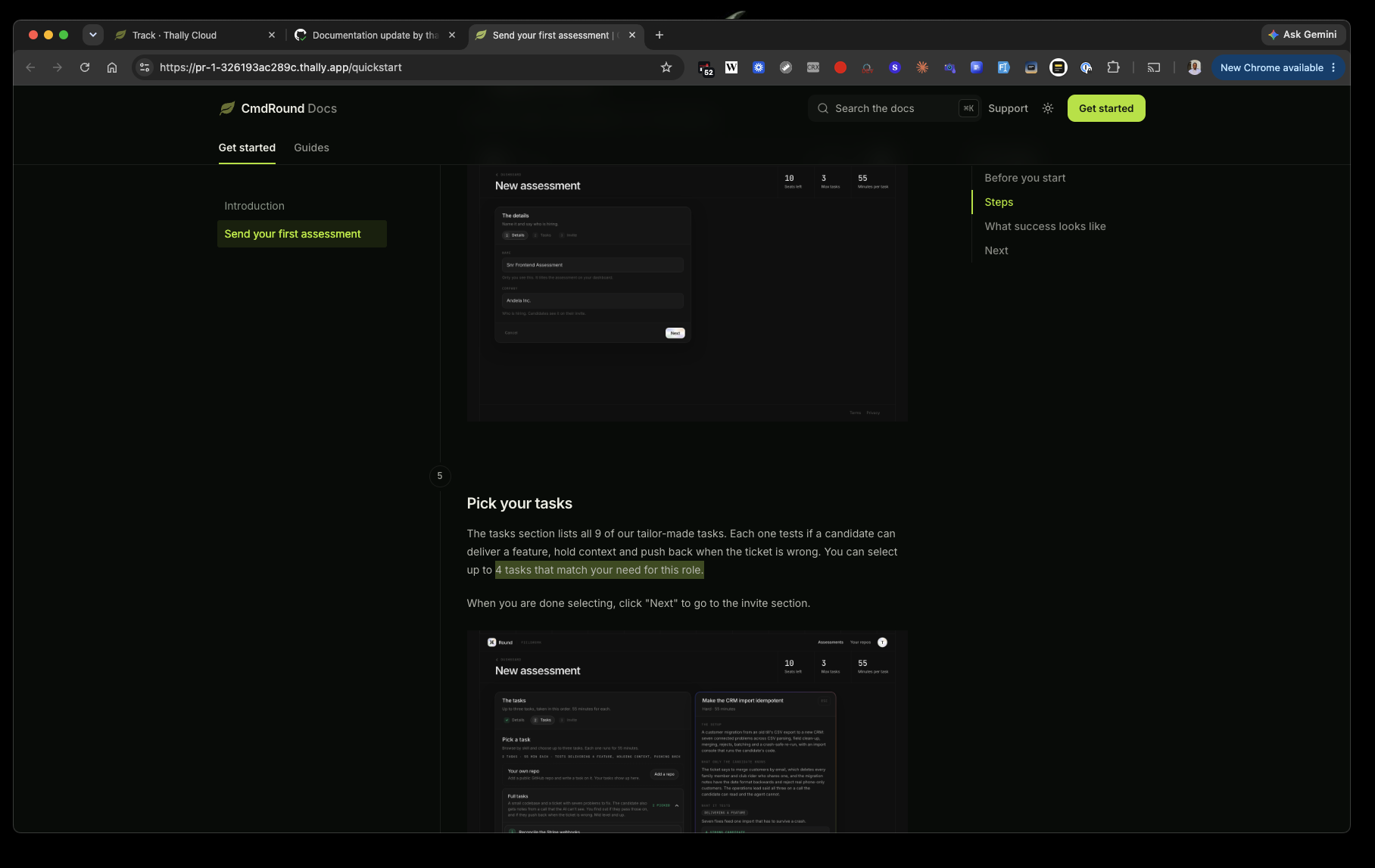
My favourite part was getting a deploy preview link on the PR, so I could read the changed page live before merging.
A tiny catch. Images. The text on the preview says 4, but the screenshots right next to it still say "3 Max tasks". Track fixed the words but can't see facts inside images. So if your docs lean on screenshots, they'll go stale without anyone noticing.
But there is a way around this. Add an alt text to each img that, of course, describes the img in depth. So when Thally makes its round of changes, it should also update the alt text of your images. When you are reviewing the PR changes you'd be prompted to see the alt text for images are updated hence you'd update the image itself.
Credits: The run used about 1,250 of my 50,000 trial credits. So in a month you can run Track about 40 times.